One of the most common types of requests I receive are to modify one of my HO scale files to a different scale. To do this properly would entail getting my hands on whatever mechanism would be used, take measurements, adjust internal features, clearances, and wall thicknesses. However, a ‘quick and dirty’ way of adapting a model to a different scale is just to apply a global scale factor. This type of scaling is easy to do in many different pieces of free software. The downside to this method is that you will have to modify (either digitally or physically after printing) the design to fit it to the mechanism you want to use.
The first step is determining what scale factor/percentage to use. This value can be calculated using ratios of the numerical model railroad scales (ie 1:87.1 for HO, 1:160 for N). I’ve done so in the table below:
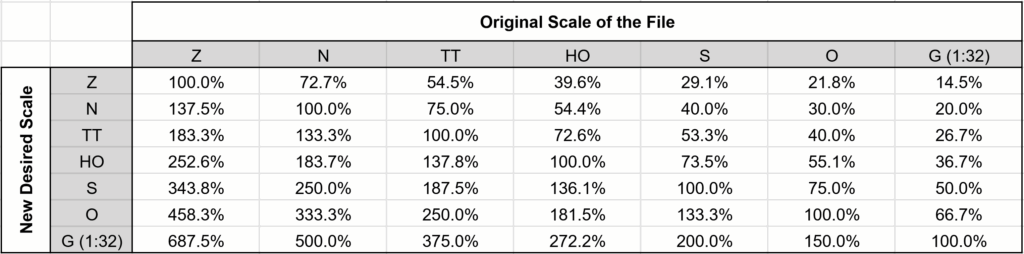
For example, someone looking to scale one of my HO models to N would use 54.4%. If someone else is printing the files for you, that percentage (and maybe this page for some context) is all you need to send them.
For those who are printing models themselves: most slicers (the software that turns a 3D model into instructions for a printer) have a scaling feature built in. I’ve linked a few tutorials about this functionality below:
FDM Printing (example: Bambu Studio):
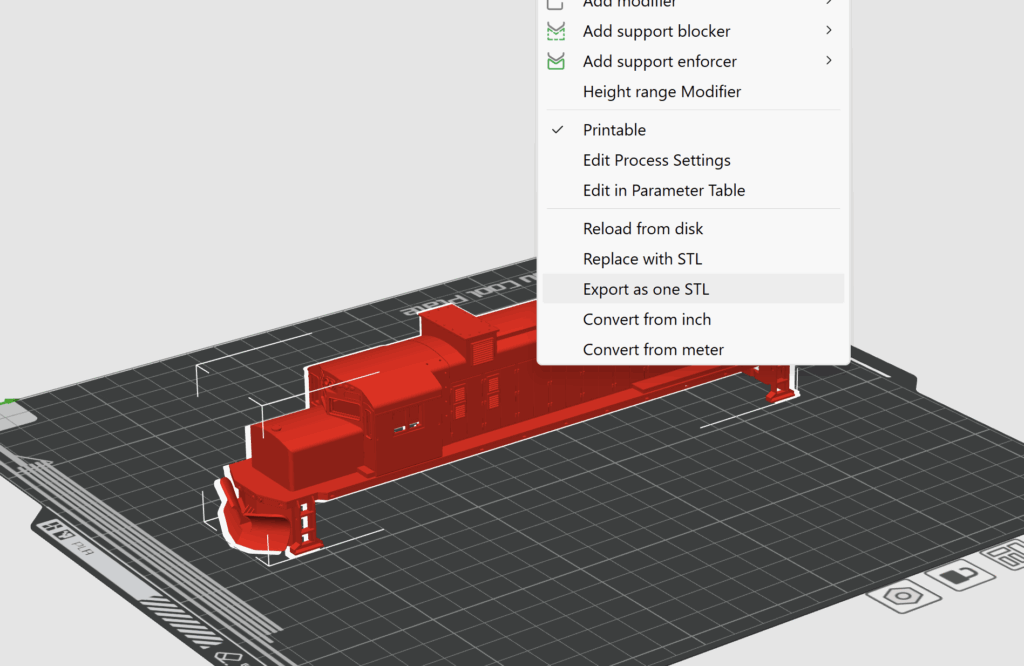
Note that after you scale the model, you can right click on it and choose “Export one STL” which will save the model at its current scale. This is useful if you have to give the file to a 3D printing service.